
Overview
Dog Whistle free. Easy command customize & Give command to your dog quickly without voice!!
Features of this application:
– Give command to your dog quickly by using Preset button.
– Initiate 8,000Hz – 20,000Hz sound.
– Customize the pattern of command easily.
– Register customized command to Buttons in first display.
How to Use 1 – Commands Page –
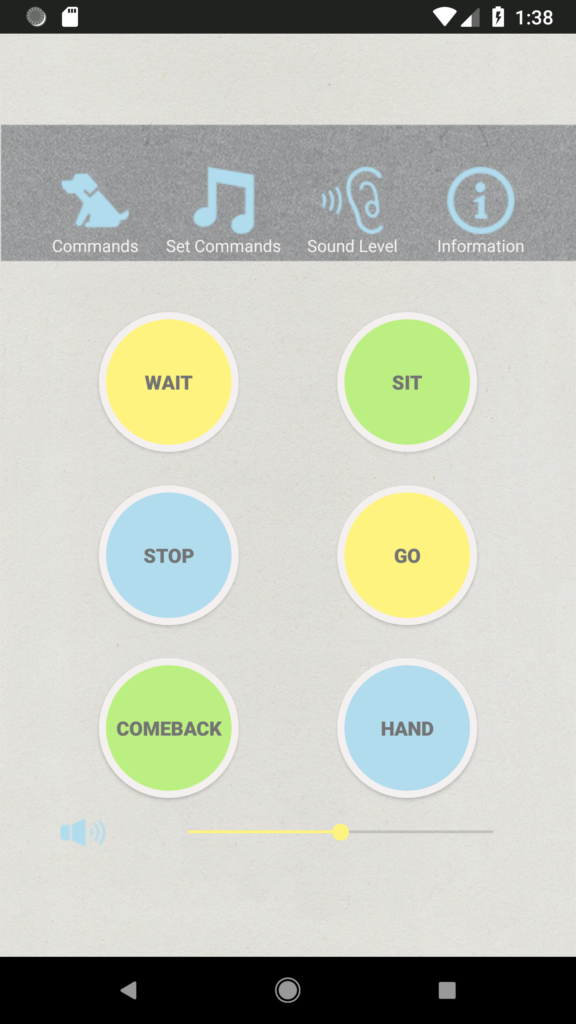
6 preset command buttons are allocated on this “Commands” page and you can use these command buttons when you send command to your doggy. Sample sound pattern have been set in each 6 buttons with initial state.
Volume can be changed by using the volume slider shows in the bottom of screen.
How to use 2 – Sound Level Page –
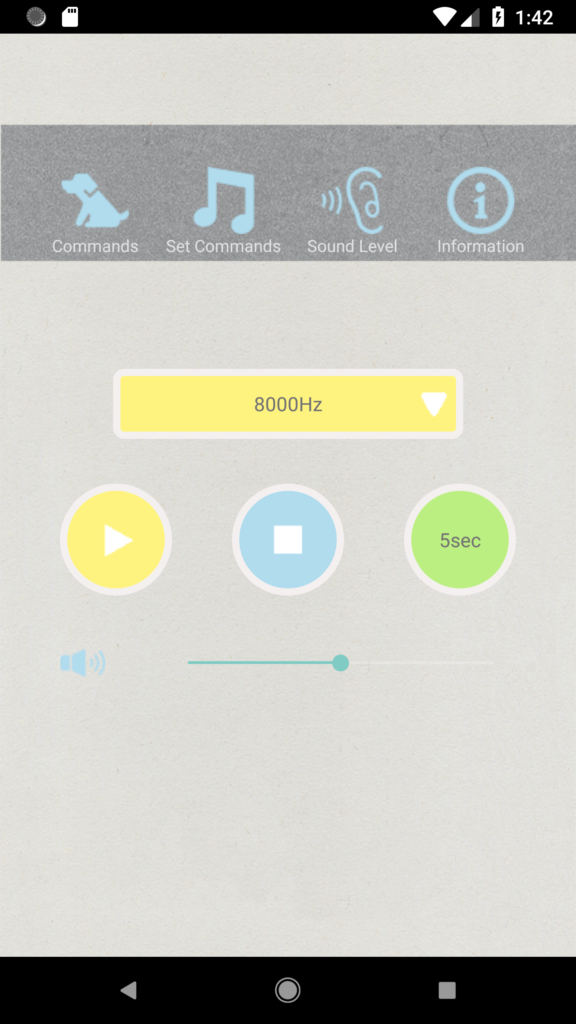
You can check your doggy’s favorite sound level before making original commands by using this utility on this page.
Select sound level and time to play from the drop down menu and press play button to play sound. Volume can be changed by slider.
How to use 3 – Set Commands Page –
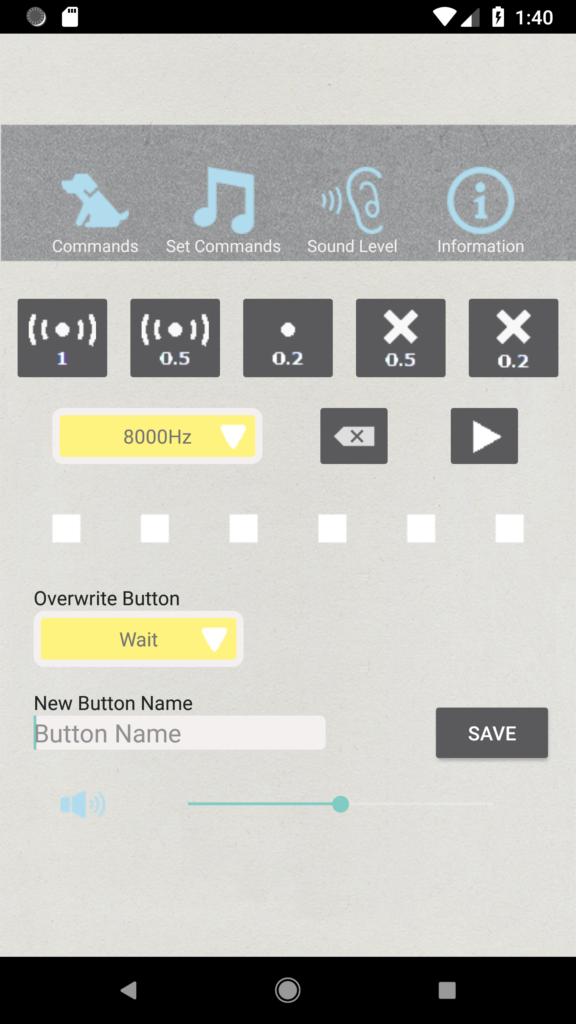
By selecting convination of following sound block, you can make original command pattern on this page.

This Icon represents 1 second beep sound .

This Icon represents 0.5 second beep sound.

This Icon represents 0.2 second beep sound.

This Icon represents 0.5 second pause.

This Icon represents 0.2 second pause.
After making sound pattern, select the button name which you want to put this sound pattern from the drop box and re-name button if necessary and press “SAVE” button for saving made sound pattern.